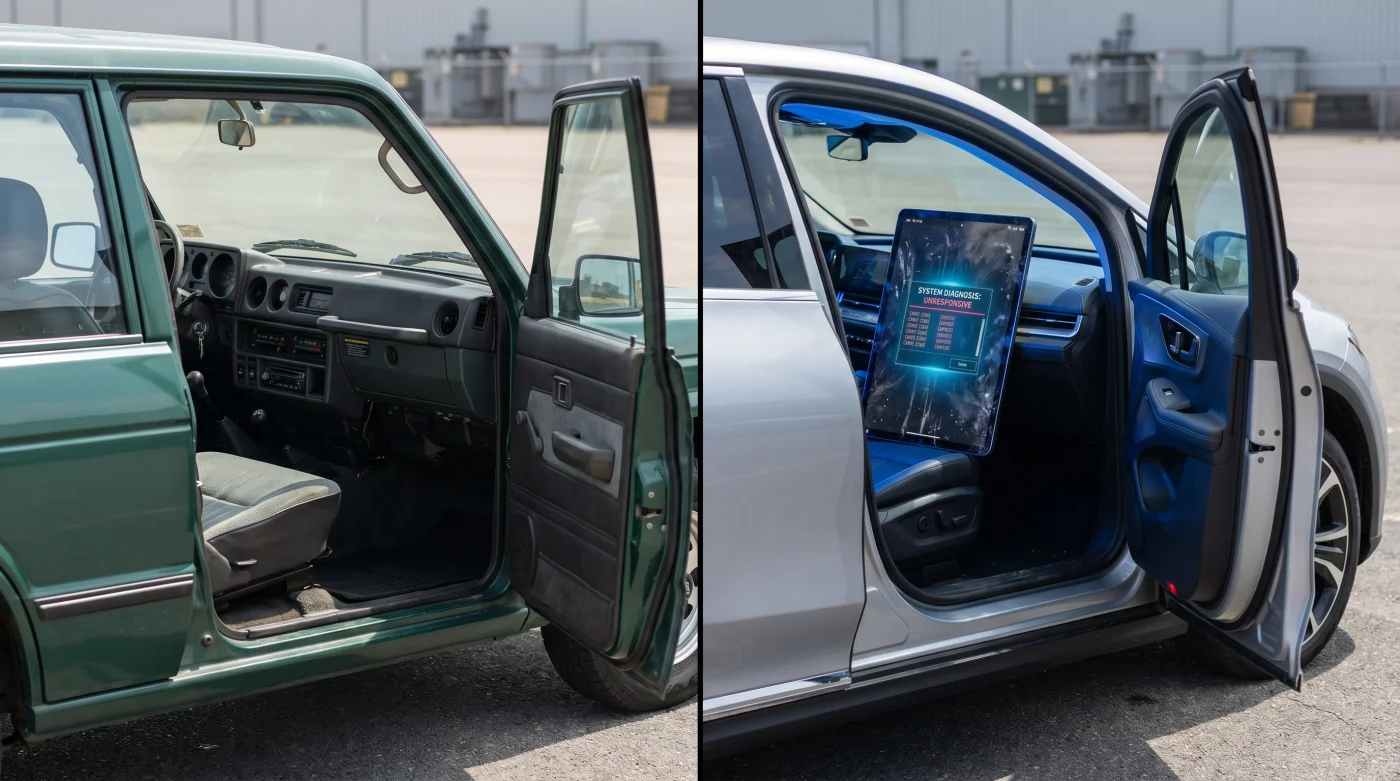
The morning air in a modern dealership service bay smells of damp concrete, ozone, and cold synthetic leather. You sit in the driver’s seat of a sixty-thousand-dollar truck, waiting for the glow of the instrument panel to show some sign of life. Instead, there is only a dead pane of glass, cold to the touch and reflecting the harsh fluorescent overhead lights. Outside, the steady hum of commuter traffic reminds you of the ticking clock, while inside, the silence is deafening.
In the old days, a flickering heater or a sticky vent door was a mechanical puzzle solved with a flashlight, a screwdriver, and a simple twist of a physical knob. You could feel the cable move behind the dash, a direct line of communication between human muscle and brass gear. Today, that simple tactile connection has been severed, replaced by a complex digital labyrinth that demands software handshakes just to blow warm air on your feet.
This digital migration is failing both the owners who buy these vehicles and the technicians tasked with keeping them on the road. When Ford CEO Jim Farley publicly lamented his company’s crushing warranty expenses, pointing directly at the absurd complexity of modern vehicle assemblies, he voiced a frustration that every grease-stained mechanic has known for years. The drive toward minimalist, all-touchscreen cabins was never about human convenience; it was a cost-saving measure disguised as futuristic luxury.
The Glass Wall and the Illusion of Simplicity
Treating your car’s dashboard like a giant tablet computer is like trying to play piano with thick oven mitts. The industry convinced us that replacing sixty physical buttons with a single central screen was a technological leap forward, but they hid a critical structural flaw behind that sleek black glass. When you bury basic HVAC diagnostics deep inside software menus, you create a digital bottleneck.
A simple mechanical failure now becomes an invisible ghost in the machine. In a physical setup, if a vacuum line cracked, you replaced the line. Today, if a blend-door actuator fails, the computer registers an error code that can only be read by entering a hidden dealer diagnostic mode on the central touchscreen. If that touchscreen itself is frozen, glitched, or waiting for an over-the-air update, the entire system is paralyzed, leaving you with no way to clear the fog from your windshield on a rainy Tuesday morning.
- Subaru Outback Wilderness suspension upgrades mask a severe towing limitation against base models
- Progressive Snapshot telematic devices falsely record aggressive braking over common highway expansion joints
- Hyundai E-Corner crab walk modules suffer rapid tire tread destruction on hot asphalt
- 2027 Nissan Z redesign details expose a heavy hybrid powertrain abandoning traditional manual transmissions
- Solid-state battery prototypes expose a severe cold weather degradation engineers actively hide
The Labor Cost Behind the Glass
Take the case of Marcus Vance, a 47-year-old master diagnostic technician at a high-volume Ford dealership in Ohio. Marcus spent twenty years diagnosing engine knocks and electrical shorts by ear and multimeter, but now spends half his day waiting for infotainment modules to reboot. Last week, a customer brought in a brand-new crossover with a heater stuck on full blast; what should have been a thirty-minute actuator replacement took Marcus three hours of billable labor just to navigate the proprietary screen menu, flash the digital control module, and recalibrate the capacitive sensor array.
The Casual Commuter vs. The High-Mileage Road Warrior
For the casual commuter who drives fifteen minutes to work, a temporary screen lag is merely a minor annoyance, a brief delay before their favorite playlist starts. But for the high-mileage road warrior who lives in their vehicle, a frozen central stack is a safety hazard that halts their livelihood. When you cannot adjust the defroster or redirect the airflow because the glass is waiting for a cloud server connection, the vehicle is effectively grounded.
The secondhand market is about to hit a wall of digital obsolescence that will decimate vehicle resale values. The first-generation owners of these screen-heavy vehicles are protected by factory warranties, but the second and third owners will inherit a ticking clock of unresponsiveness. Unlike a mechanical cable that can be lubricated, a dead capacitive layer requires replacing the entire screen assembly—a repair bill that can easily exceed the actual trade-in value of an eight-year-old car.
Preserving Your Cabin’s Digital Lifeline
You cannot easily redesign your car’s dashboard, but you can adopt specific diagnostic hygiene habits to prevent software-driven headaches. Protecting the physical interface and keeping the underlying system clean reduces the frequency of system lockups that lead to expensive dealership diagnostic fees.
Avoid harsh chemical cleaners on your dashboard screen, as they degrade the microscopic conductive coatings that register your finger presses. Instead, use a dry, high-pile microfiber cloth to lift away oils and debris that can fool the screen’s sensors into thinking a button is being held down.
- Keep a dedicated 12V OBD2 scanner in your glove box to bypass screen menus entirely when reading basic climate codes.
- Disable automatic over-the-air updates during extreme weather seasons to avoid unexpected system crashes when you need your heater most.
- Perform a monthly system soft-reboot to clear out cached memory errors.
Tactical Toolkit: Use 70% isopropyl alcohol on a lint-free cloth only for stubborn grease, never spray liquids directly, and maintain a minimum battery voltage of 12.4V to prevent low-voltage software glitches.
Reclaiming the Tactile Road
There is a quiet peace that comes from a machine that behaves predictably, a car that respects your attention instead of demanding your gaze. The growing pushback against all-glass cockpits isn’t just nostalgia; it is a rational defense of human focus and mechanical durability. As more executives like Jim Farley acknowledge the financial toll of software complexity, the industry may finally return to a sensible balance of glass and brass. Until then, protecting your interface and understanding the digital layers beneath your fingers is your best defense against the quiet tyranny of the unyielding screen. You park your car, turn off the ignition, and look down at the center console. In the fading light, the screen is a dark, smeared monument of greasy fingerprints and dust motes, utterly silent and completely indifferent to your touch.
“A screen is a great way to sell a car in a showroom, but physical buttons are the only way to keep a driver safe on a dark, wet highway.” — Marcus Vance, Master Diagnostic Technician
| Diagnostic System | Average Labor Time | Real-World Failure Risk |
|---|---|---|
| Physical Switch & Cable | 15–30 Minutes | Extremely low; predictable mechanical wear over decades. |
| Dedicated Diagnostic Port | 30–45 Minutes | Low; requires external scanner but bypasses cabin screens. |
| Integrated Touchscreen Menu | 2–3 Hours | High; prone to software lockups, screen damage, and update bugs. |
Why are car companies replacing physical HVAC buttons with screens?
To save money. It is far cheaper to manufacture and install a single glass panel that runs software than it is to wire, route, and assemble dozens of individual switches, dials, and physical connection cables.
Can I still read my heater codes if my screen is broken?
Yes, but you will need an external OBD-II diagnostic scanner that supports manufacturer-specific body control modules to bypass the dashboard interface entirely.
What did Ford’s CEO say about these repair issues?
Jim Farley highlighted that excessive warranty costs stem from overly complex software and electronic designs, calling for a radical simplification of vehicle assembly to improve long-term reliability.
How do I reboot my frozen infotainment system?
For most modern Ford vehicles, you can hold down the volume power button and the ‘seek forward’ button on the steering wheel simultaneously for about ten seconds until the screen restarts.
Can cold weather cause my touchscreen to stop working?
Yes. Liquid crystal displays and capacitive glass layers slow down dramatically in freezing temperatures, often leading to temporary unresponsiveness or delayed inputs until the cabin warms up.